
Fast-Charging Banks with Built-In Cables: Black Friday Tech Guide 2026
By My Smart Life · Published · Updated
Quick answer: A built-in cable is convenient only when its connector and supported output fit the device. A high wattage in the bank's title can refer to a different port or charging protocol. Confirm the cable's power capability, shared-output behaviour and replaceability before choosing it as your main charging route.
Your buying checklist
- Check output profiles for the built-in cable.
- Confirm whether another port can provide a backup route.
- Compare input charging speed and required adapter.
Make a port-by-port charging plan
List the normal device and cable for each port. For a laptop, compare the supported voltage profiles with the original adapter requirements rather than relying only on the largest wattage in the title. Ask how output changes with a second device connected and whether pass-through use is documented. Include the bank's recharge adapter in the plan: a high-output bank can still be inconvenient if its input takes too long for your routine. An attached cable also needs the right connector and output for the intended device.
Compare energy, output and recharge needs separately
Stored energy
mAh needs a voltage to describe energy. Where both are documented, watt-hours equal mAh multiplied by volts and divided by 1,000. This is a label comparison, not a prediction of full phone charges; conversion losses and the device's use also matter.
Output compatibility
Check the voltage and current profiles supported by the relevant port. USB-C describes a connector, while USB Power Delivery and other protocols describe charging negotiation. Match the device, bank and cable rather than assuming the highest printed wattage will be used.
Input and shared power
A bank's input specification determines how it can be recharged. Check the required adapter and whether output changes when several devices connect. A high single-port figure does not establish the same power at every port simultaneously.
Relevant options and trade-offs
These are catalogue options connected to this guide, with different roles and requirements. Listing names identify products; they are not independent test results. Confirm current specifications, supplied accessories, stock and the selected checkout currency on the product page.
| Catalogue option | Potential role | Confirm before choosing |
|---|---|---|
| 20000mAh Portable Power Bank with PD 100W Output and LED Digital Display | A possible laptop or multiple-device supply after profile checks. | Match the laptop's required voltage profile and sustained draw; verify shared-port limits, cable capability and recharge input. |
| 10000mAh Magnetic Power Bank with Built-in Cable | Cable-light charging when the phone, case and charging surface fit. | Check supported devices, attachment, wireless output and wired fallback; a magnetic connection alone does not establish certification or maximum speed. |
| 20000mAh 120W Power Bank with Built-In Cable and Fast Charging | An everyday charging kit with fewer separate parts to carry. | Confirm connector and negotiated output for your phone; check whether a separate port remains useful if the attached cable wears out. |
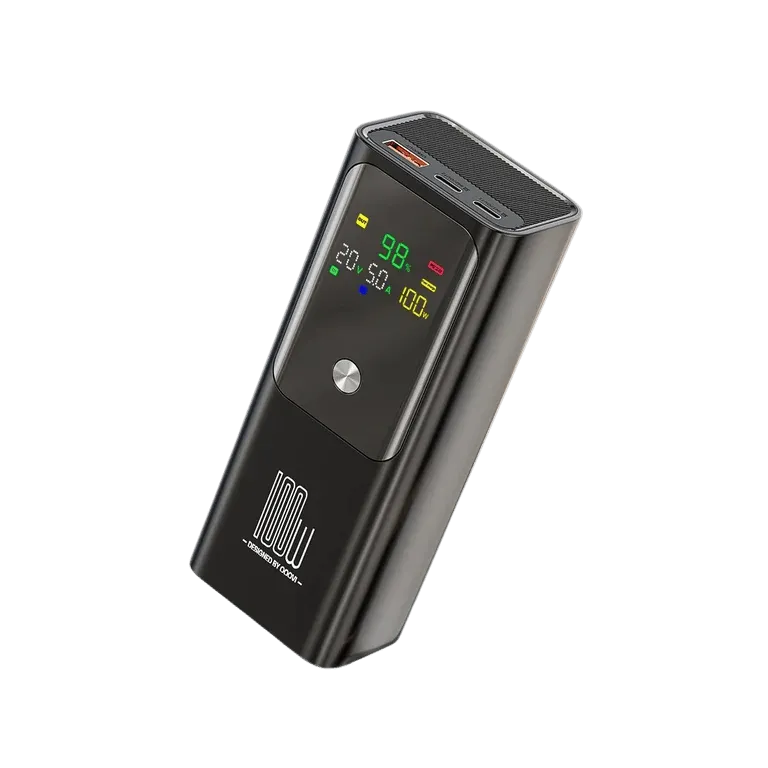
20000mAh Portable Power Bank with PD 100W Output and LED Digital Display
Consider for: A possible laptop or multiple-device supply after profile checks.
Before buying: Match the laptop's required voltage profile and sustained draw; verify shared-port limits, cable capability and recharge input.
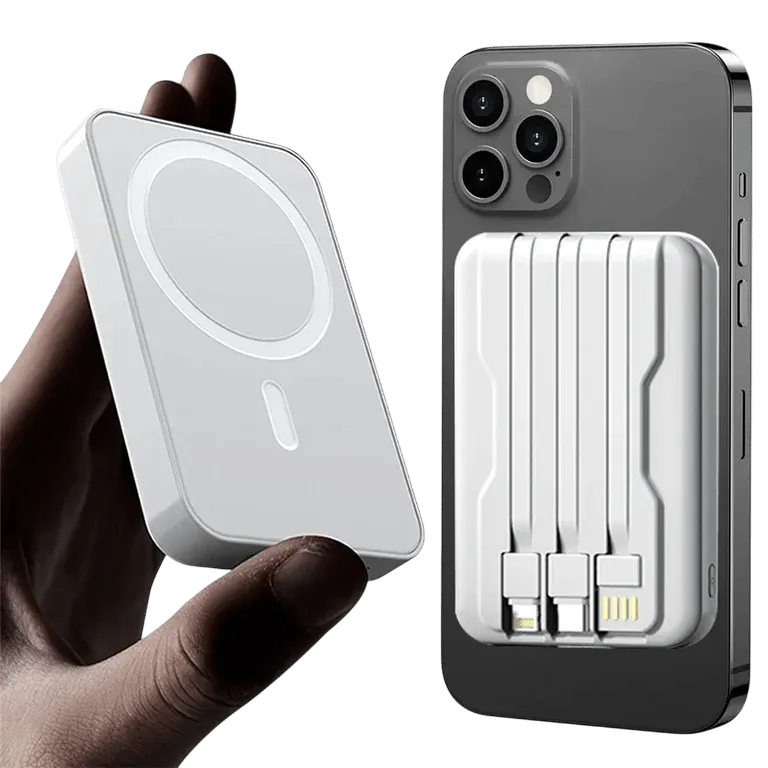
10000mAh Magnetic Power Bank with Built-in Cable
Consider for: Cable-light charging when the phone, case and charging surface fit.
Before buying: Check supported devices, attachment, wireless output and wired fallback; a magnetic connection alone does not establish certification or maximum speed.
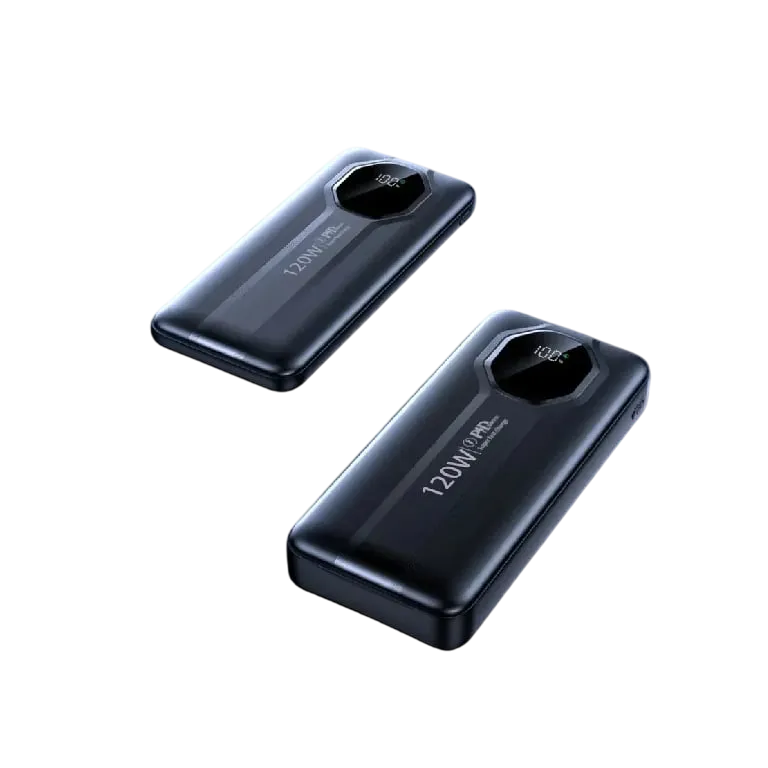
20000mAh 120W Power Bank with Built-In Cable and Fast Charging
Consider for: An everyday charging kit with fewer separate parts to carry.
Before buying: Confirm connector and negotiated output for your phone; check whether a separate port remains useful if the attached cable wears out.
If the options above do not match your requirements, compare other chargers and power banks before deciding. Buy for a confirmed fit rather than an unsupported ranking.
Before you rely on the setup
Charge the bank before depending on it and test your normal cable with the intended device. Check that the device reports charging under the planned workload. For flights, use the labelled energy and check your airline's current battery rules before packing; do not choose an air-travel bank from mAh marketing alone.
Questions before buying
Will the largest printed wattage reach every connected device?
Check per-port profiles and the shared-output table. The device and cable must support the negotiated profile, and simultaneous use may reduce available output.
Will a higher-wattage bank charge every phone faster?
The phone, charging protocol and cable limit what can be used. Confirm the supported profile for your device. Capacity and charging speed are separate purchasing decisions.
How many full charges will a power bank provide?
Do not infer an exact number from advertised mAh alone. Voltage, conversion losses, battery condition and phone use affect the result. Look for clear energy labelling and documented output rather than an unsupported charge-count promise.
How to use this guide
My Smart Life sells products linked in this guide. The comparison uses listed product information and buying criteria; it is not a hands-on test or an independent rating. Confirm uncertain specifications or compatibility with the supplier before ordering. For purchases planned in 2027, recheck availability and model documentation rather than assuming a future release or feature.
Further reading: USB-IF cable and connector information, Transport Canada battery safety information.